TWU Photography alumni Sheryl David will have a solo exhibition of her series Coalescence at the Lillian Bradshaw Gallery at the Dallas Public Library's central branch. Coalescence explores issues of identity, communication, relationships and intimacy. The series derived from an interest in investigating the transformation that results from overcoming perceptions of inadequacy within the self. Skin and gesture communicate a shared vulnerability and growth as the two figures become one throughout the series. The incorporation of hair, acts as a personal and universal symbol of identity. Crochet forms demonstrate the strength and malleability of hair, which reflect a sense of growth and transformation. The images were photographed with a Holga and instant film back allowing for soft focus and vignette to invite the viewer to witness the evolution from fear to connection within a relationship.
Cheatsheets: You can print these out for your reference.
PHOTOSHOP: In case you haven't guessed, we are going to start working with Photoshop now. The first two mini projects will deal with working with layers in Photoshop.
Photoshop Basics Tutorial
This video is a bit on the cheesy side, but it will give you a run down of most of the basic tools and features in CS6.
Many of the options being shown are more advanced and we will not get to them until later in the semester. But it is good to know that they exist and where they are.
Project 1: Framed Assignment "How to See"
For this project we are going to choose 1 stationary object and photograph it as many DIFFERENT ways as possible. Think about the framing techniques we talked about in class. Getting closer, Further Away, Ants eye view, Birds eye view, etc.
We are going to work with composition. Filling the edges of the frame. No cropping!
Tip: Find an object that is stationary. Not a person or an animal. It's better if it is permanently seated in that place, or you can tape where it was to mark it's spot if you decide to go back and reshoot.
We will process our images in Lightroom and then bring them into Photoshop. Here is a video I made showing you how to do this.
Upload to your blog no later than before class on 2/21.
EDIT: You should have between 15 and 25 images for the collage. Images can be vertical, horizontal, or squares. They can also be touching. Meaning, you do not have to have a border.
If you fee very confident with your Collage skills, try this out!
**BONUS** Project 2: Symmetry Triptych and Tutorial:
Take a self portrait or have someone take your picture (headshot) straight on against a white wall. Try to stand up straight and be relatively expressionless.
Process portrait in Lightroom. (color, exposure, crop.)
Either crop into a rectangle or square.
Make mirrored portraits in Photoshop, via the tutorial.
You should have a left mirrored portrait and a right mirrored portrait.
Place the original, the right, and the left portrait onto a single canvas in Photoshop. (in any order)
Make sure to have an even border all around your images.
Save as a PSD, TIF, and as a JPEG.
(I saved it as a TIF in the tutorial. Save the final to upload as a jpg.)
File name
Upload to your blog no later than before class on 2/21.
We will also work on these in class for those that found this too confusing.
Next week:
We will talk review making contact sheets and review Photoshop. We will talk about the Exhibition Opportunities project. We will have a demo on the Canon Rebels. And we will have an in-class shooting assignment. We will learn how to do Levitation.
Hello Class: As you have heard, the campus was closed today. Your assignment for the week will be to due the following things to prepare us for next week:
Portraits of Self, Portraits of Others
Emmit Gowin
Today, in class, we were going to talk about Portraiture. I was going to show you some great portrait artists and then we were going get into groups and start to photograph one another.
Finding Vivian Maier, trailer
Richard Avedon, "Darkness and Light"
I would like for you to watch the Vivian Maier trailer video and also this video on Richard Avedon. We were going to watch both in class today. The Avedon video is a bit long; I was only going to show the first 30 minutes or so. (But you are welcome to watch it in it's entirety. It's quite good.)
Your project for the week is:
Find five great portrait photographers online. I want you to tell me who took the pictures and why you like the images, and then add them to your blog in one post before next class.
(So: An image of theirs. Their name. And what you like about the picture / why you chose them.)
I've included some photographers to look at for inspiration at the bottom of the post.
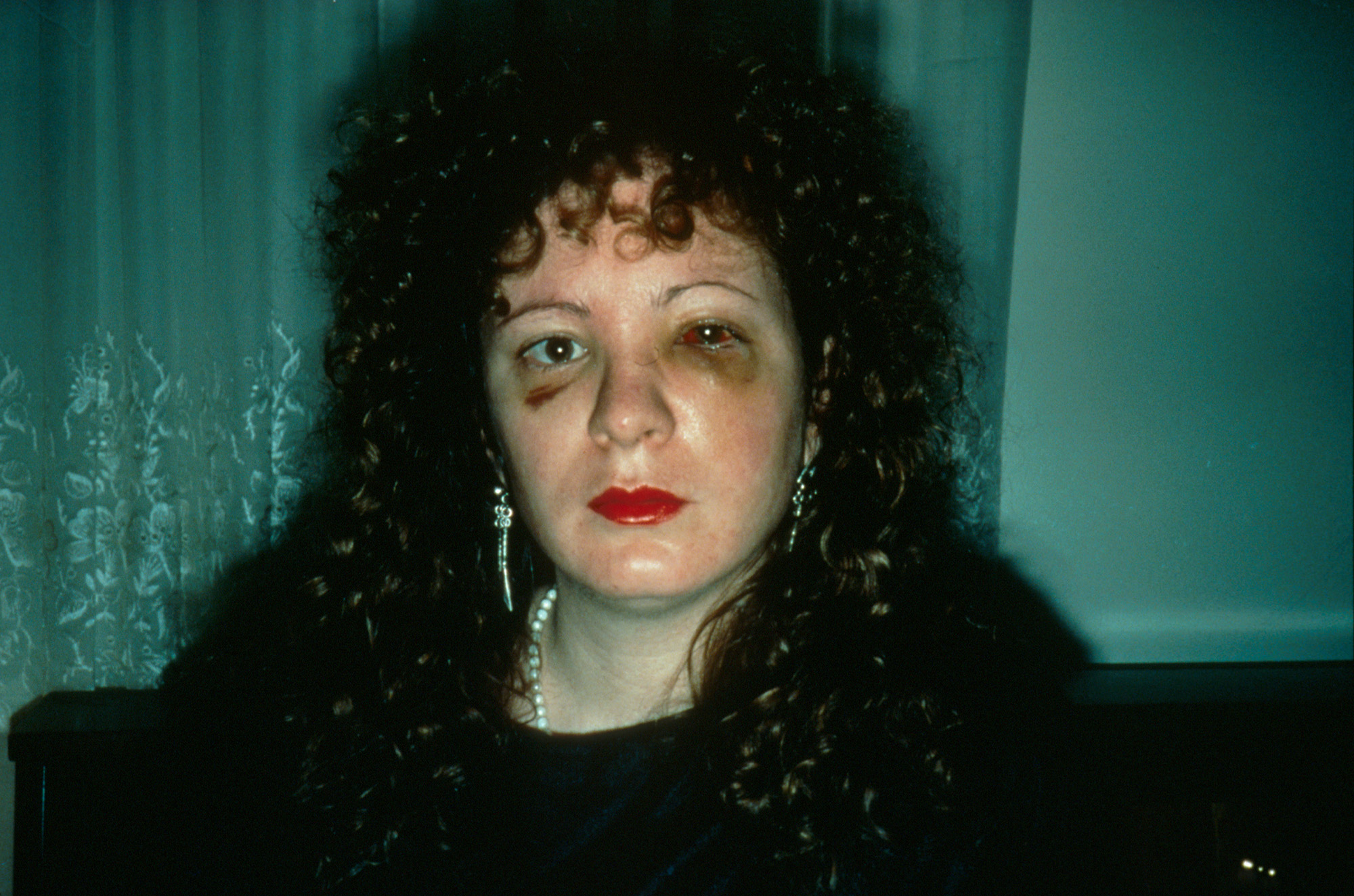
Your goal for the week is to make is to make great portraits of other people and also yourself. The photograph needs to be strong compositionally, be interesting to look at, and should tell us something about the person being photographed. A pretty tall order... sounds a lot like a collaboration between the subject and the photographer to me... You should have at least 5 GREAT images. (At least 1 must be a self-portait.)
Make sure you bring your pictures with you to next class, on your hard drive.
ALL OF THEM. We will work on basic image editing next week.
The following images were made by Edward Curtis, he is the fellow on the right with the fine hat and goatee. He started this project to record the way of life of the North American Indian in 1907, and made more than 40,000 images of them. You can see many of them at the Library of Congress.
Richard Avedon, Marian Anderson, 1955.
Richard Avedon, Marian Anderson, 1955.
Diane Arbus, Boy with Handgrenade.(Left) Contact Sheet (Right)
During last Friday's class, we looked at the "My World" assignments, went over basic principles of design and composition, the difference between file formats (RAW vs JPEG) and Lightroom vs Photoshop, how to take screenshots, basic workflow, and we talked about the blog article review assignments. (This is up on the blog.) We also talked about creating a Lightroom catalog and how to import images.
I wanted to post this before I forgot. It's a wonderful way to help understand color and to understand what colors look good with what. It can help you pick colors for your website, your blog, or even your house/bedroom. Isn't the internet cool?
This assignment will have deadlines throughout the semester. We discussed this in class on Friday, January 31st.
Article Review Posts:
Below is a list of due dates and websites to find articles. By each due date (due at the end of the day @ 11:59 pm) you must have read a current article from the website and created a post. Articles should be from the last two months. No older.
Each Post should contain:
Blog Name and Artist Name
Link to the article
A Picture from the Article – You must give credit to who created the photograph/image.
NOTE: The person who wrote the article may or may not be the person who runs the blog and is probably not the artist the article or blog post is about.
A few sentences about the design and layout of the blog.
A few sentences about the article. Please address as many of the following as you can:
Was there something compelling about the title of the article or the images that made you select that article?
What was the article about
Were you interested, excited, disinterested, and/or curious by what you read? If so, why?


 Make sure you bring your pictures with you to next class, on your hard drive.